Skip to content
assostro-header-logo
assistro
  • Integrations
    • Zapier
    • Shopify
    • Hubspot
    • WordPress
    • Chrome Extention
    • Metro Accounting (Coming soon)
    • Flavor CRM (Comming soon)
  • Learn
    • Blog
    • Developer Guide
    • User Guide
    • Tutorial
  • Pricing
  • Contact Us
Get Started

SyncMate

8
  • How to Send Message to a WhatsApp Group – Guide to Fetch Group ID
  • Troubleshooting and Reconnection Guide
  • Connect your Contact Form 7 App with SyncMate
  • Connect your WooCommerce App with SyncMate
  • Connect your HubSpot App with SyncMate
  • Connect your Custom App with SyncMate
  • How to Connect your WhatsApp with SyncMate?
  • How to use SyncMate X Shopify Application ?

Other

6
  • Getting Started with SyncMate and Shopify Integration: A Step-by-Step Guide
  • After Installation : Setting up SyncMate Chrome Extension
  • Assistro Dashboard
  • How to use SyncMate in a 3rd Party application via OAuth – The Secure way
  • How to back up your WhatsApp chats in HubSpot?
  • SyncMate User Guide: Regenerating Your Token

Extension

3
  • Bulk messaging at a scheduled time using SyncMate
  • Send Message at a scheduled time using SyncMate
  • Define your own template to send schedule message
View Categories
  • Home
  • user-guide
  • How to create Changelogs

How to create Changelogs

1 min read

Changelogs #

A changelog is a log or record of all notable changes made to a project. The project is often a website or software project, and the changelog usually includes records of changes such as bug fixes, new features, etc. Some open-source projects include a changelog as one of the top-level files in their distribution.

A changelog has historically included all changes made to a project. The “Keep a Changelog” site instead advocates that a changelog does not include all changes, but that it should instead contain “a curated, chronologically ordered list of notable changes for each version of a project” and should not be a “dump” of a git log “because this helps nobody”.

Changelogs in Docy #

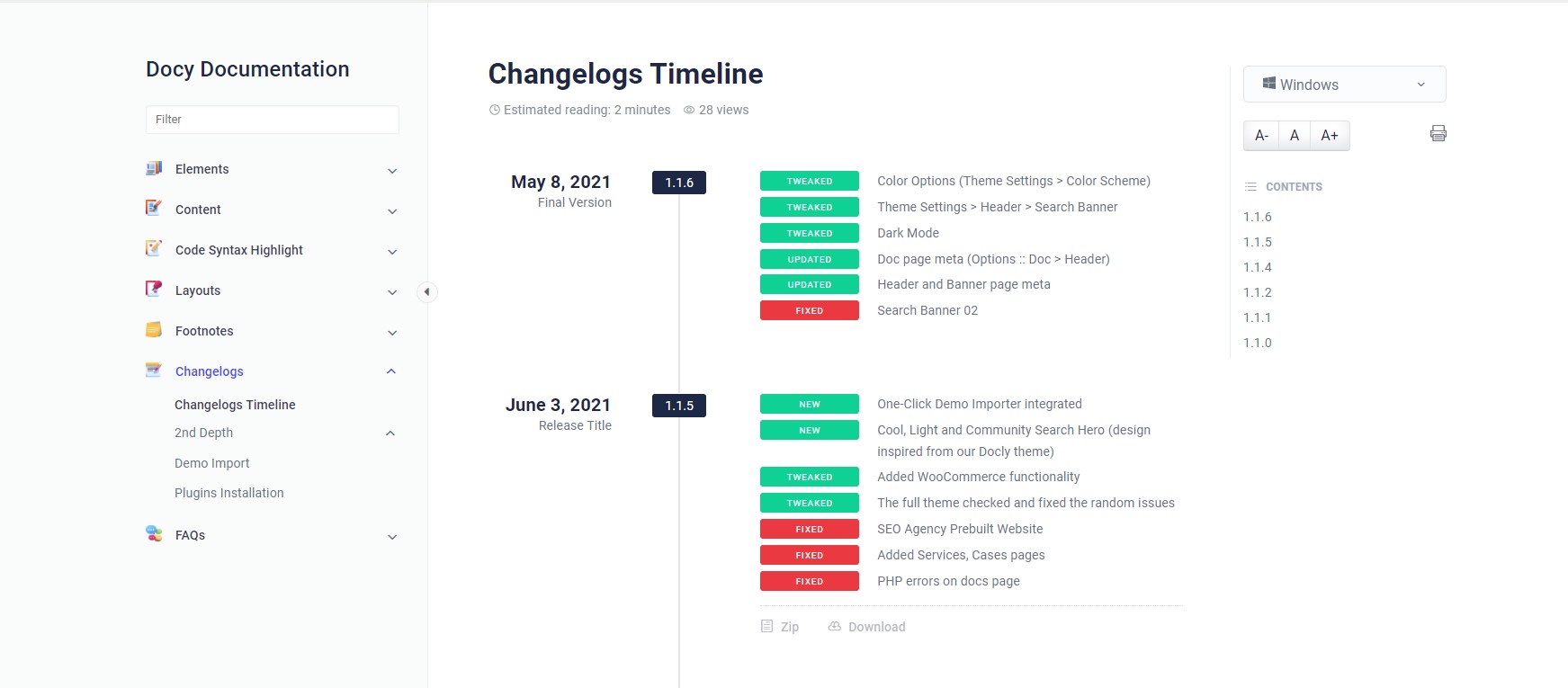
We bought you an interactive and useful changelogs system for you in the Docy WordPress theme. See the design of the Changelogs below-

Changelogs design on Docy Theme Demo

How to create Changelogs #

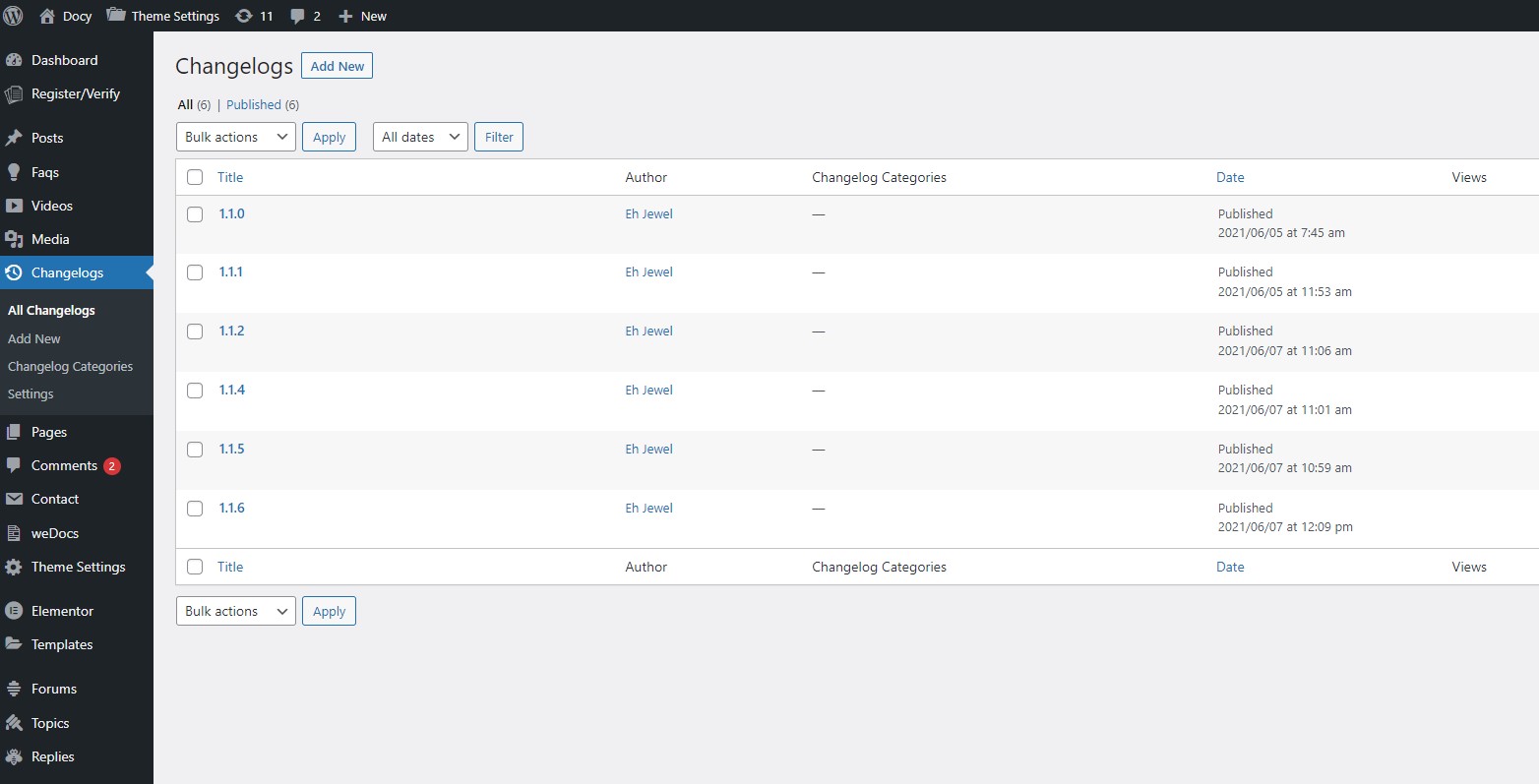
You will find a custom post type named “Changelogs” in your WordPress admin dashboard. 

After adding changelogs, you would need to display them on the website frontend.  There is available an Elementor widget named Changelogs which will display the changelogs. Insert that widget to display your changelogs. 

Updated on August 29, 2025

What are your Feelings

  • Happy
  • Normal
  • Sad
Share This Article :
  • Facebook
  • X
  • LinkedIn
  • Pinterest

Leave a Reply Cancel reply

Your email address will not be published. Required fields are marked *

Table of Contents
  • Changelogs
  • Changelogs in Docy
  • How to create Changelogs
assistro

We’re your innovation partner, delivering cutting-edge solutions that elevate your business to the next level.


    Navigation

    • Integrations
    • Pricing
    • Contact Us

    Integrations

    • Zapier
    • Shopify
    • Hubspot
    • Wordpress
    • Chrome Extension
    • Metro Accounting [Coming soon]
    • Flavor CRM [Coming soon]

    Learn 

    • Blogs
    • Developers
    • User Guide
    • Tutorials

    © Copyright 2025, All Rights Reserved by Assistro